
Business systems software ranked by ease of setup: Best 2026
Best overall for document-based work: Google Workspace. Best for client administration: HoneyBook. Best for email sequences: Flodesk. This 2026 guide to business systems software ranked by ease of setup compares defined starting tasks, not a promise that one app can run your entire business.
TL;DR
Business systems software ranked by ease of setup starts with a defined task, not the longest feature list.
Google Workspace is the default for organizing documents, shared files, and simple tracking.
HoneyBook fits client administration; Flodesk fits email sequences; Dubsado fits more detailed client workflows.
Tendedsprout provides done-for-you business systems support for established entrepreneurs who need help connecting their operations.
Why this matters
A new tool does not decide who follows up with a client or when a project starts. You still need clear steps, an owner, and a dependable place to find the current information.
For established service providers, the useful question is not which software has the fewest settings. It is which option lets you put a specific process into use without rebuilding unrelated parts of your business.
Tendedsprout is best for established online entrepreneurs who want done-for-you business systems support using tools already integrated into their business. Tendedsprout provides systems consulting and automation services, rather than another software subscription to manage.
For your 2026 decision, separate software selection from implementation help. You might need a different app. You might instead need someone to organize the apps you already have.
What makes the best business systems software easy to set up?
Use these criteria before comparing features:
A narrow starting task: You can name the process you want to improve, such as sending a proposal or recording a project status.
Familiarity: Your team already knows where to find information and how to update it.
Clear inputs: The process starts with information you can consistently collect.
Defined handoffs: Everyone knows what happens next and who handles it.
Limited dependencies: The first useful version does not depend on several other apps working together.
A visible test: You can check whether the process worked before involving a real client.
For this comparison, ease means the amount of process design required to reach a useful starting point. It does not mean a measured installation time or a guarantee about your team's learning curve.
Set a first version around 1 workflow, not your whole business. Client intake, proposal approval, or an email welcome sequence gives you a clear boundary. Adding unrelated tasks makes it harder to tell whether the setup actually works.
Business systems software at a glance
The 2026 ranking below follows the starting task shown in each row. These tools serve different purposes, so a lower position does not mean a worse product.
1. Google Workspace
Best for: Organizing existing document-based work
Useful starting feature: Shared files, documents, forms, and spreadsheets
Key limitation: You must define the process and maintain tracking
2. HoneyBook
Best for: Bringing client administration together
Useful starting feature: Proposals, contracts, and invoices
Key limitation: Client-facing materials still need preparation
3. Flodesk
Best for: Setting up an email welcome sequence
Useful starting feature: Email design, forms, and workflows
Key limitation: Email workflows do not manage service delivery
4. Canva
Best for: Creating repeatable business materials
Useful starting feature: Reusable designs and templates
Key limitation: Designs do not control project handoffs
5. Dubsado
Best for: Building more detailed client workflows
Useful starting feature: Client forms, contracts, invoices, and workflows
Key limitation: More workflow decisions require more preparation
Choose the row that matches your immediate problem. If your contracts work but your team cannot locate delivery instructions, switching contract software does not address the missing instructions.
1. Google Workspace: best business systems software for familiar tools
Google Workspace brings documents, shared files, forms, spreadsheets, and other collaboration tools together. For a team already using these tools, the useful starting point is organizing existing work rather than introducing a new operating environment.
Start with a shared project folder, a written delivery checklist, and a tracker with an assigned owner. That creates a visible process without assuming every step needs automation.
Google Workspace pros:
Documents give you a place to write repeatable instructions.
Sheets can hold a simple project or task tracker.
Forms can collect structured information.
Shared files keep working materials together.
Google Workspace cons:
A spreadsheet does not decide who should act next.
File organization and access still need clear rules.
Tracking becomes manual unless you build additional connections.
Best for: Teams whose immediate problem is scattered information rather than missing client-management features.
For your 2026 setup, make the tracker useful before making it elaborate. Each entry should show the current stage, the responsible person, and the next action. Extra fields should earn their place.
Verdict: Buy into Google Workspace as your starting system when your team already uses it and needs clearer organization.
2. HoneyBook: best business systems software for client administration
HoneyBook supports client-facing work such as proposals, contracts, and invoices. It belongs on your shortlist when those administrative steps are split across separate documents and tools.
Its setup starts with your actual service process. Decide what information you need from a prospect, which documents you send, and what must happen before work begins. Software cannot settle those business decisions for you.
HoneyBook pros:
Proposals support a defined client offer.
Contracts and invoices belong within the client-management process.
Client-facing materials can follow a repeatable structure.
It addresses administrative work rather than just document storage.
HoneyBook cons:
You still need suitable service details and contract language.
Organizing client administration does not document every delivery task.
Changing tools requires reviewing the materials you currently use.
Best for: Service providers who need a more consistent route from inquiry to agreed work.
An illustrative starting process is inquiry, proposal, contract, and invoice. Your business might require a different order. Write that order down before configuring anything.
If proposals are your main sticking point, compare the narrower category in the guide to contract and proposal software for consultants. A focused comparison keeps unrelated features from distracting you.
Verdict: Buy into HoneyBook when client administration is the process you need to organize first.
3. Flodesk: best business systems software for email sequences
Flodesk provides email marketing tools, including email design, forms, and workflows. Its place here is specific: setting up communication for subscribers, not replacing your project or client-management system.
For an established entrepreneur, a useful first setup is a welcome sequence with a clear entry point. Decide what a new subscriber should receive and what action each message supports before building the sequence.
Flodesk pros:
Email design supports consistent subscriber communication.
Forms provide a defined way to collect signups.
Workflows organize a sequence of messages.
A narrow email task gives you a clear setup boundary.
Flodesk cons:
You still need to write the messages and decide their purpose.
Email sequences do not assign client-delivery responsibilities.
Subscriber communication needs appropriate consent and ongoing care.
Best for: Online entrepreneurs whose immediate problem is inconsistent welcome or follow-up emails to subscribers.
Avoid starting with every possible audience journey. Build one sequence, check the signup experience, and review the messages as a recipient. Expansion comes after the basic path works.
Verdict: Buy into Flodesk for subscriber email workflows; skip it as a replacement for your operating process.
4. Canva: best business systems software for repeatable materials
Canva is a design tool, not a complete business operations system. It earns a place in this list because repeatable materials can support a process that is already clearly defined.
Use it when your team repeatedly recreates welcome documents, presentation materials, or visual instructions. The setup task is to establish a reusable starting point and explain when to use it.
Canva pros:
Templates provide a repeatable basis for designs.
Visual materials can support client communication.
A defined document task keeps the initial setup focused.
Existing designs give you material to review and standardize.
Canva cons:
A design does not track whether a client received it.
Templates need instructions about use and ownership.
Visual consistency does not fix an unclear workflow.
Best for: Teams with an established process that need consistent client-facing or internal materials.
For example, a reusable welcome document can explain the next steps after a client agrees to work with you. Someone still needs responsibility for preparing and sending it. The template supports that handoff; it does not replace it.
Verdict: Buy into Canva for repeatable materials; skip it as your main operations system.
5. Dubsado: best business systems software for detailed client workflows
Dubsado supports client management through forms, contracts, invoices, scheduling, and workflows. It fits a business that needs to connect several client-administration steps and is ready to define their order.
That broader workflow scope requires preparation. Before configuring actions, write down what starts the process, what happens next, and which decisions need a person to review them.
Dubsado pros:
Forms support structured client information collection.
Contracts and invoices address client administration.
Scheduling supports appointment-based steps.
Workflows provide a way to arrange repeatable actions.
Dubsado cons:
Unclear service steps become unclear workflow settings.
Different client paths require deliberate planning.
Automated actions need testing before client use.
Best for: Service providers who already understand their client process and want to configure a more detailed sequence.
In 2026, judge Dubsado against your written process rather than a feature checklist. If you cannot explain when a document should be sent, pause the setup and make that decision first.
Verdict: Hold on Dubsado until your client steps are clear; buy into it when you need those steps connected.
Turn a tool choice into a working process
Consider this illustrative situation: an inquiry arrives by email, client details sit in a document, and the project start depends on someone remembering to follow up. This is an example, not a reported client result.
A clearer version has a defined entry point, complete information, an assigned owner, and a visible next step. Use the following sequence regardless of which software you choose:
Choose the task: Name the single process you want to improve.
Write the steps: Record the order from start to finish.
Assign the owner: Specify who acts and who handles exceptions.
Test the handoff: Check the process before using it with clients.
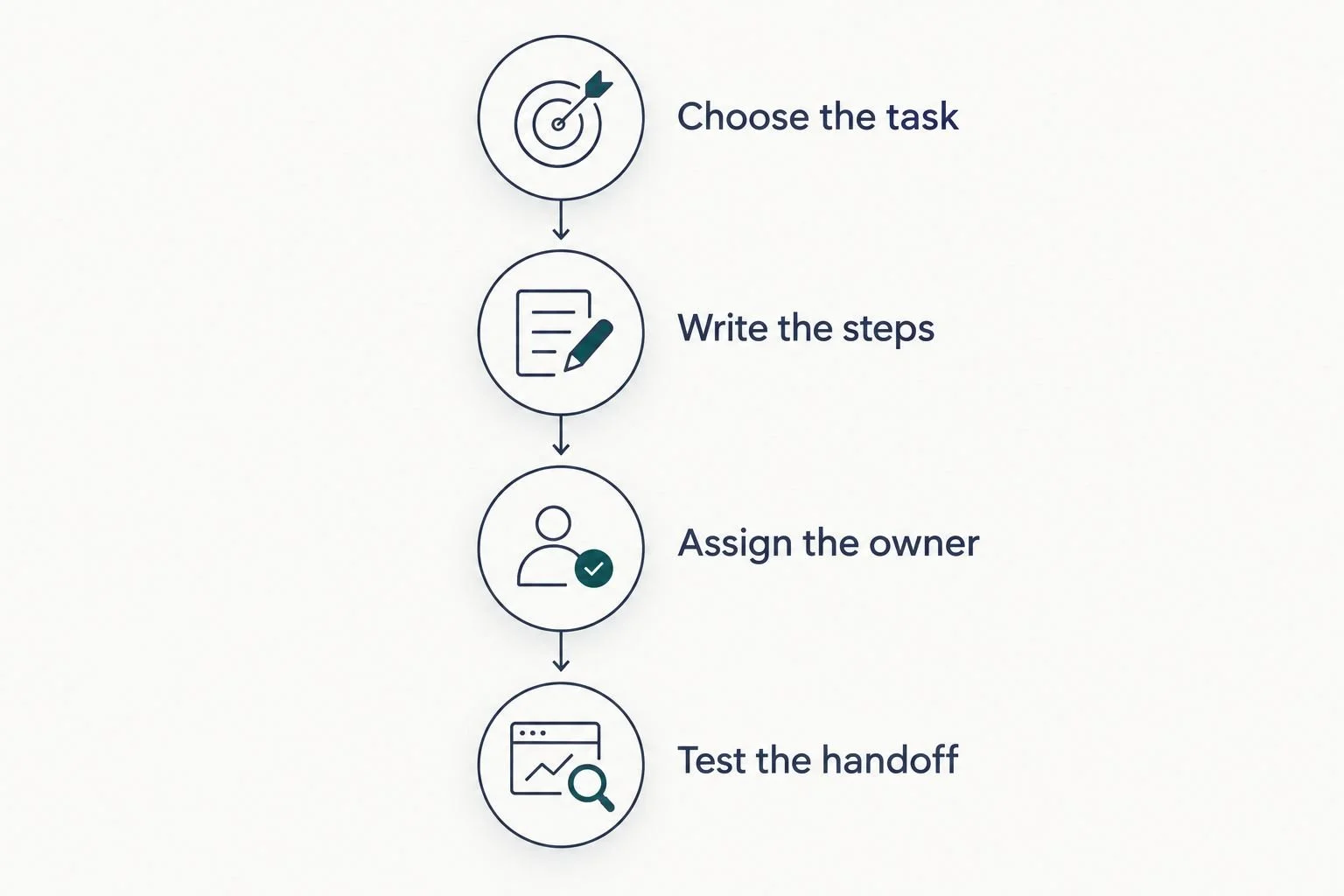
Define the task and ownership before testing the software handoff.
Use 2 test cases: a normal path and an exception. For the normal path, provide all the information the process expects. For the exception, leave something incomplete and check who notices it.
Review 3 checkpoints before launch: the starting information, the next action, and the responsible person. These are suggested checks, not measured setup benchmarks. If any checkpoint is unclear, fix the process before adding more automation.
Done-for-you systems support or an Online Business Manager?
Tendedsprout's done-for-you business systems support addresses how work moves through your business. Blooming Systems is its one-day workflow transformation. That service is distinct from buying software or bringing someone into an ongoing management role.
An Online Business Manager role generally centers on coordinating operations, projects, and people. The actual responsibilities depend on the agreement. Choose based on the work you need done, not the job title alone.
Done-for-you systems support
Best for: Building or improving a defined workflow
Main focus: Process structure, setup, and automation
Limitation to consider: A finished setup does not replace ongoing ownership
Online Business Manager
Best for: Continuing operational coordination
Main focus: Managing agreed projects, people, and priorities
Limitation to consider: Management alone does not specify a systems-building scope
Best for workflow implementation: Done-for-you systems support. Best for ongoing coordination: An Online Business Manager whose agreed responsibilities match that need.
Before choosing either, separate the work into building the process and running the process. You can need both. Tendedsprout focuses on systems already integrated into the business, so the starting conversation does not need to assume a software switch.
How this ranking works
This 2026 ranking prioritizes a focused starting task, familiar tools, clear handoffs, and limited dependencies. It is a task-based buying guide, not a timed comparison of product setup.
Google Workspace leads for document-based organization. HoneyBook and Dubsado address client administration, while Flodesk and Canva solve narrower communication and materials needs. Your existing tools and process determine which recommendation fits.
Which business systems software should you choose?
Start with the tool already supporting the workflow you need to fix. Choose Google Workspace for scattered documents, HoneyBook for client administration, Flodesk for subscriber emails, Canva for repeatable materials, or Dubsado for detailed client workflows.
If you cannot identify the starting event, next step, and owner, hold off on switching. For your 2026 plan, process clarity comes before additional software.
FAQ
What's the best business systems software for an easy setup?
Google Workspace is the default recommendation for organizing document-based work when your team already uses it. HoneyBook fits client administration, while Flodesk fits subscriber email sequences. Choose by the task rather than expecting one tool to cover every process.
Is HoneyBook easier to set up than Dubsado?
This guide does not establish a measured setup-time winner between HoneyBook and Dubsado. HoneyBook is recommended here for organizing client administration, while Dubsado fits more detailed client workflows. Your documents and process decisions determine the preparation required.
Can I use Google Workspace instead of buying another business app?
Yes, Google Workspace can support shared instructions, files, forms, and simple tracking. You still need clear ownership and handoffs. It does not automatically replace every client-management or email-marketing function.
Can Flodesk manage my whole service business?
No, Flodesk serves email marketing rather than your entire service-delivery process. Use it for subscriber communication and email workflows. Keep project responsibilities and client-delivery instructions in an appropriate operating system.
Should I hire an Online Business Manager or get systems support?
Choose systems support for building or improving a workflow, and an Online Business Manager for ongoing coordination within an agreed scope. Define the responsibilities before hiring. Some businesses need implementation help and continuing management.
What should I prepare before setting up business systems software?
Prepare the starting event, required information, sequence of steps, and responsible person. Collect the documents or messages used in that process. Then test a normal path and an incomplete-information path before launch.
Does Tendedsprout sell business systems software?
Tendedsprout provides done-for-you systems, operations consulting, and automation services rather than a software product. Its work focuses on systems already integrated into the business. Blooming Systems is its one-day workflow transformation.
One last thing
Test what happens when information is missing. A polished process can look complete until a client skips a question or a handoff has no owner. Your exception test tells you whether the workflow needs clearer instructions, a review step, or a different setup.