
Business automation for e-commerce brands: complete 2026 guide
E-commerce business automation is the use of connected systems to handle repeatable work, with the aim of keeping orders, customer communication, and team tasks organized. This 2026 guide explains business automation for e-commerce brands, where to keep human checks, and how to improve the tools you already use.
TL;DR
Business automation for e-commerce brands starts with a clear workflow, not another software subscription.
Tended Sprout Co. fits established entrepreneurs seeking done-for-you systems support rather than ongoing team management.
Order management needs clear status updates, named owners, and human checks for exceptions.
Improve existing tools before adding email automation or another connection between systems.
Why business automation matters for e-commerce brands
An e-commerce order involves more than a payment. Someone needs to confirm its status, handle questions, coordinate fulfillment, and recognize when the usual process does not apply. Your challenge is keeping those actions connected without making the founder the messenger between every person and tool.
Automation should remove repeatable handoffs, not remove judgment. A routine internal notification is a useful candidate. A damaged-order complaint still needs someone who can understand the situation and make a decision.
Tended Sprout Co. provides business automation and done-for-you systems support for established online entrepreneurs and service providers. The useful starting point is your existing process, not a replacement shopping list.
Look for work that depends on memory: copying order details, reminding someone to review a request, or checking several places before answering a customer. These are concrete problems to investigate. Define the problem before deciding whether automation is the answer.
Build a workflow your team can trust
Map one order from purchase to completion
Start manually. Open a document and describe what happens after a customer places an order, including the steps outside your store platform. Record who acts, where information lives, and what tells the next person to begin.
For your 2026 starting review, trace 5 recent orders. This is a practical review exercise, not a performance benchmark. Include a straightforward order and an order that needed extra attention so your map reflects more than the easiest path.
An illustrative problem is a support person reading a customer email, asking the founder for an update, and waiting while the founder checks with fulfillment. The issue is not necessarily slow email. It is that the support person lacks a dependable place to find the status.
Close the review with a short list you can act on:
Write down each action from purchase to completion.
Name the person responsible for each action.
Identify where the current order status lives.
Mark every place someone copies information manually.
Record the separate path for an exception.
Remove unnecessary work before automating it
Use your order map to question each handoff. A shared checklist or a clearer responsibility often fixes the problem without a new connection between tools. Keep the manual version simple enough that another team member can follow it.
For example, imagine a brand copying customer requests into separate documents for support and fulfillment. Before connecting those documents, decide whether both copies are necessary. One shared record with clear access rules is easier to maintain than several competing versions.
Choose one home for each important piece of information. Your order platform can remain the reference for order status while a shared document holds the team's instructions. The goal is clarity about where to look, not forcing every task into one application.
Use these checks before building anything:
Remove duplicate records that serve no separate purpose.
Give every open task one named owner.
Define what counts as a completed handoff.
Separate customer messages from internal task notes.
Keep decisions requiring approval visibly assigned.
Choose support that matches the actual problem
Once you understand the work, decide whether you need a process change, a technical setup, or ongoing management. These are different needs. Buying help for the wrong one leaves the original problem in place.
Tended Sprout Co. is best for established entrepreneurs seeking done-for-you systems support rather than ongoing team management. Its business automation approach focuses on systems already integrated into the business. Blooming Systems is its one-day workflow transformation offering; discuss your workflow and scope before choosing it.
An Online Business Manager serves a different purpose. That role focuses on ongoing coordination, priorities, and team accountability, according to the agreement you make. Done-for-you systems support focuses on designing and setting up how repeatable work moves through the business.
If your existing setup includes Google Suite or Flodesk, describe how you use those tools before discussing replacements. Familiar software does not automatically need replacing because the workflow around it is unclear.
Prepare a useful brief:
Describe one recurring operational problem.
Show the current steps and the people involved.
List the tools already used for those steps.
State which decisions must stay with your team.
Ask who will maintain the workflow after setup.
Connect routine actions with clear human checks
Write the connection in plain language before building it: when this happens, take this action, unless this condition requires review. If you cannot explain the rule clearly, keep the work manual until you can.
Consider an illustrative support workflow. A customer request enters a shared queue, receives an owner, and gets marked for review when it concerns a damaged item. The routine handoff is organized; the remedy stays with a person who can assess the request.
Use this sequence to describe the process:
Request received: Capture the information needed to respond.
Owner assigned: Give one person responsibility for the next action.
Human review: Route exceptions to someone with decision authority.
Task completed: Record the result where the team can find it.
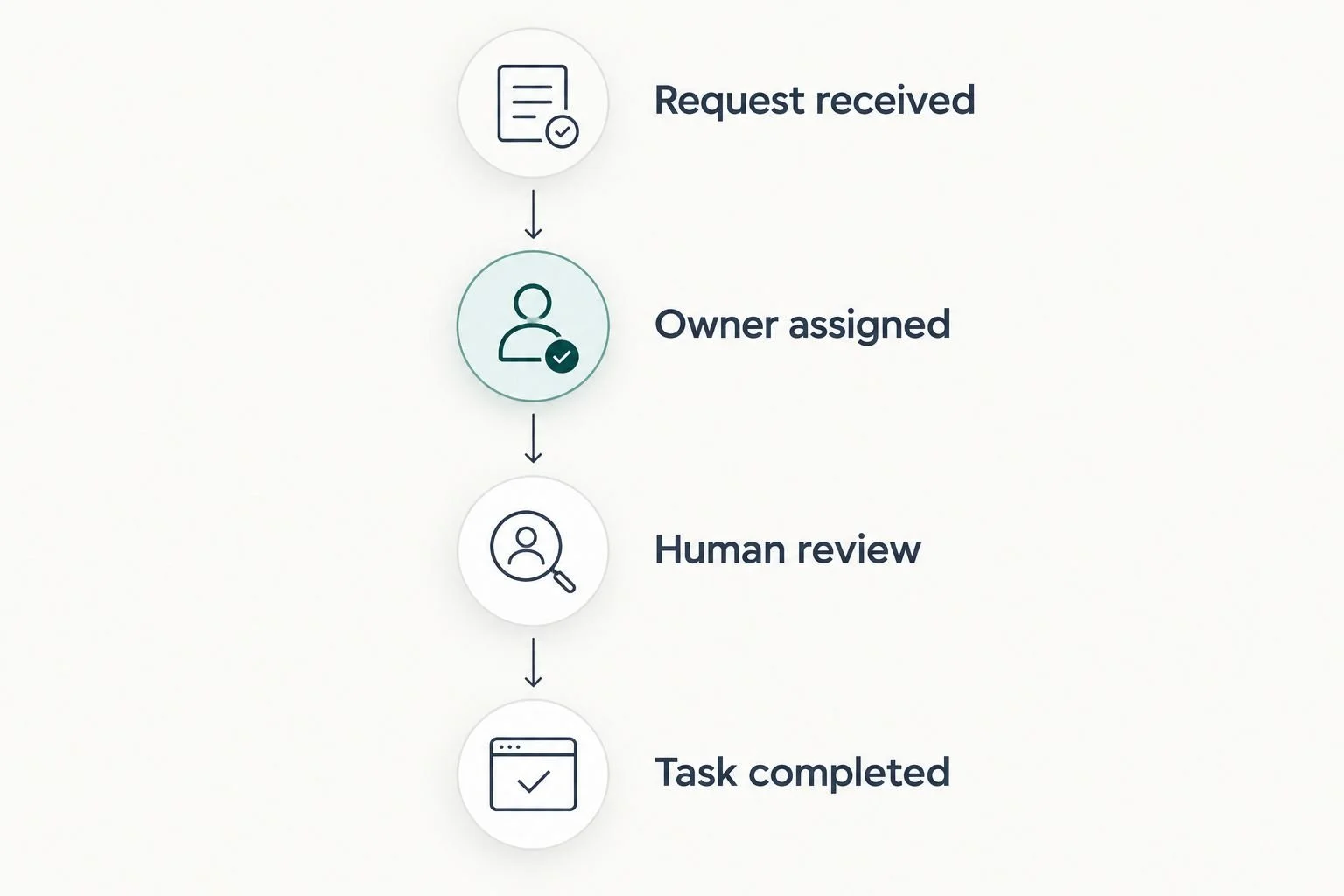
Organize the routine handoff while keeping exception decisions with a person.
For each automated action, confirm that the starting event means what you think it means. A customer submitting a request is not the same as a team member approving it. A task being created is not proof that the work is finished.
Keep sensitive actions separate from routine notifications. Refund decisions, changes to customer details, and unusual fulfillment instructions need explicit rules and appropriate access. Do not give a connection more access than the task requires.
Test normal orders and exceptions before launch
Test a small, defined workflow before applying it broadly. For a 2026 launch checklist, use 3 test cases: a normal request, an incomplete request, and an exception needing human review. These are recommended checks, not proof that every possible issue is covered.
Use test records where your tools support them. If you must use a real record, plan the test carefully so it does not send an unintended customer message or change a live order. Confirm the expected result before starting.
Check both sides of every connection. A task appearing in one place does not prove the original record was updated correctly. Review what the customer sees separately from what your team sees.
Finish testing with these checks:
Confirm the correct person receives the task.
Check that customer details stay attached to the right record.
Confirm that exceptions stop for human review.
Check whether repeated events create duplicate actions.
Write down how to pause the connection.
Assign someone to investigate failed actions.
Document ownership and review the workflow
Create a short instruction sheet after the workflow works. Explain what starts it, what it does, who owns it, and how to handle an exception. A useful document tells a team member what to do without requiring the original builder to explain everything again.
Reserve a 30-minute review after the first week of use. This is a suggested working session, not a promised time saving. Inspect actual records and ask the people doing the work where they still need to chase information.
For your 2026 review, record the same measures before and after a change. Useful measures include requests without an owner, duplicate tasks, and failed actions. Treat customer response times separately from internal task completion so you do not confuse activity with resolution.
The guide to documentation software for small teams is a relevant next step if instructions are scattered. Choose a place your team already checks before adding another document library.
Keep the instructions focused:
Name the workflow owner and a backup.
Explain where to check the latest status.
List the exceptions that require review.
Record how to pause and restart the workflow.
Update instructions whenever a step changes.
Compare your support options in 2026
Choose an option based on the work that needs fixing. Clear rules with repetitive execution call for a different solution than shifting priorities and daily team questions. More software does not settle an ownership problem.
Manual checklist and shared instructions
Best for: Clarifying an inconsistent process
Main advantage: Lets you define the steps before building connections
Key limitation: People still need to perform and record the work
Automation features in existing tools
Best for: Repeatable actions within your current setup
Main advantage: Keeps the work close to tools your team already uses
Key limitation: Depends on the features and permissions your tools provide
Tended Sprout Co. done-for-you systems support
Best for: Established entrepreneurs needing workflow design and setup
Main advantage: Provides systems and operations support around existing tools
Key limitation: You still need clear internal decisions and ongoing ownership
Online Business Manager
Best for: Businesses needing ongoing coordination and team accountability
Main advantage: Provides a person to manage priorities and follow-through
Key limitation: The role does not automatically include building every technical connection
Choose systems support when the process needs building. Choose ongoing management when the team needs direction and coordination. If you need both, define each responsibility separately rather than assuming one service includes everything.
Before agreeing to support, ask what will be documented, what your team must provide, and who handles changes later. For an e-commerce brand, also identify any work involving fulfillment partners or customer remedies. Those decisions need a clear owner even when the surrounding administration is automated.
Explore support for your existing systems
Discuss the recurring work, disconnected tools, and handoffs you want to simplify.
Common mistakes e-commerce brands make
Treating an order event as permission for every action
A new order does not make every message, task, or follow-up appropriate. Separate operational communication from marketing communication, and check the permissions required for each. Keep the purpose of each action explicit.
Automating exceptions as if they were routine orders
A damaged-item request and a straightforward status question need different handling. Automatically assigning the request is useful. Automatically deciding the remedy without a clear policy creates a different problem.
Keeping several competing order-status records
A support sheet, a fulfillment sheet, and the store record can tell different stories when updates are manual. Designate the reference record and define how other views receive updates. Do not ask employees to guess which version is current.
Expecting workflow setup to replace daily management
A well-built connection does not decide priorities or resolve disagreements between team members. In your 2026 operating plan, name who manages the work after setup. Document who handles failures as well as routine completion.
Rebuilding the whole business to fix one handoff
Start with the specific point where information stalls. Replacing familiar tools adds change for your team without first proving those tools caused the problem. If the bottleneck keeps moving, use the Root-Cause guide as a starting point for examining the underlying issue.
FAQ
What's the best first step in business automation for e-commerce brands?
Map one order from purchase to completion before choosing another tool. Identify each owner, the reference record, and the places where someone copies information or waits for an update.
Do I need new software to automate my e-commerce business?
You do not need to start with new software. Clarify the process and check the features in your existing tools before deciding whether another connection is necessary.
What should I automate first in my online store?
Start with a repeatable internal handoff that has a clear rule and a named owner. Task assignment and internal notifications are useful candidates to assess; keep exception decisions with a person.
Is done-for-you systems support the same as hiring an Online Business Manager?
Done-for-you systems support and an Online Business Manager address different needs. Systems support designs and sets up repeatable workflows, while an Online Business Manager handles ongoing coordination and accountability according to the agreed role.
Is Blooming Systems an ongoing management service?
Blooming Systems is Tended Sprout Co.'s one-day workflow transformation offering. Discuss the scope and follow-up responsibilities directly rather than treating workflow setup as an agreement for ongoing management.
Can I keep using Google Suite and Flodesk?
Start by assessing how Google Suite and Flodesk fit your current workflow rather than assuming they need replacing. Confirm the available features, permissions, and required connections before planning the setup.
How do I know whether an automated workflow is working?
Check actual records for correct ownership, accurate updates, duplicate actions, and unresolved exceptions. Compare the same measures before and after the change, and assign someone to investigate failures.
One last thing
Write the exception path before you automate the normal path. A smooth routine can hide unclear responsibility until something unusual happens. Ask who acts when information is missing, a connection fails, or a customer needs a decision.
For your next 2026 improvement, choose one handoff your team already finds frustrating. Make its owner, status, and next action visible. That is a useful operational change even before you automate it.