
Business systems for group coaching programs: complete 2026 guide
Group coaching business systems are repeatable ways to manage enrollment, participant support, and program delivery so you can run a cohort without rebuilding the process each time. This 2026 guide covers business systems for group coaching programs where shared sessions, individual participant needs, and fixed start dates must work together.
TL;DR
Business systems for group coaching programs should connect enrollment, onboarding, weekly delivery, and completion before you add more tools.
Tended Sprout Co. suits established coaches seeking done-for-you systems support rather than ongoing business management.
Keep participant records in one agreed location and assign an owner to every recurring task.
Use workflow automation for predictable reminders, not sensitive participant decisions.
Why business systems matter for group coaching programs
A group program combines shared delivery with individual administration. Everyone attends the same session, but participants can have different payment arrangements, access problems, questions, and attendance histories. A single welcome email does not resolve all of those differences.
The operational challenge is keeping the group moving without losing individual details. If enrollment lives in your inbox, attendance sits in a spreadsheet, and follow-up depends on memory, you have no clear place to check what happens next.
Build around the participant journey, not around a software shopping list. The broader business systems for coaches guide provides context for organizing your business beyond group delivery.
For your 2026 program, define what must happen before the start date, between sessions, and after completion. That gives you a practical test for every tool and task: does it help deliver a promised part of the experience?
How to build your group coaching systems
Map the participant journey
Start manually. Write down the path a participant follows from expressing interest to finishing the program. Include the actions you take, the actions they take, and the point where someone must check that a step is complete.
Use a clearly illustrative example: a program with 12 participants and 6 weekly sessions. This is a planning example, not a client result. Each participant needs enrollment confirmation, access instructions, session information, and a way to ask for help. The shared schedule does not remove those individual needs.
Keep your 2026 map tied to the experience you actually offer. Do not build tasks for features you have not promised. Mark any point where participants regularly need an explanation, even if you currently handle it through a personal reply.
A useful map identifies both the expected path and the exceptions. Someone joining after the welcome message needs a defined next step, not a search through old emails.
Write the enrollment requirements in plain language.
List what participants need before the first session.
Mark recurring session and support activities.
Define what completion means for your program.
Add a separate path for late arrivals or withdrawals.
Create one participant record
Use a spreadsheet or another tool you already have to establish one agreed record for each participant. A new platform is not the first requirement. Consistent information is.
Record only the details needed to operate the program. An enrollment record might show the participant's name, contact information, cohort, enrollment status, welcome-message status, and access status. Keep sensitive coaching notes separate from routine administration, with access limited to the people who need them.
Organize the record around four stages: Enrollment, Welcome, Weekly support, and Completion. Each stage should have a clear condition for being finished. Sending an access message, for example, is different from confirming that someone can access the materials.
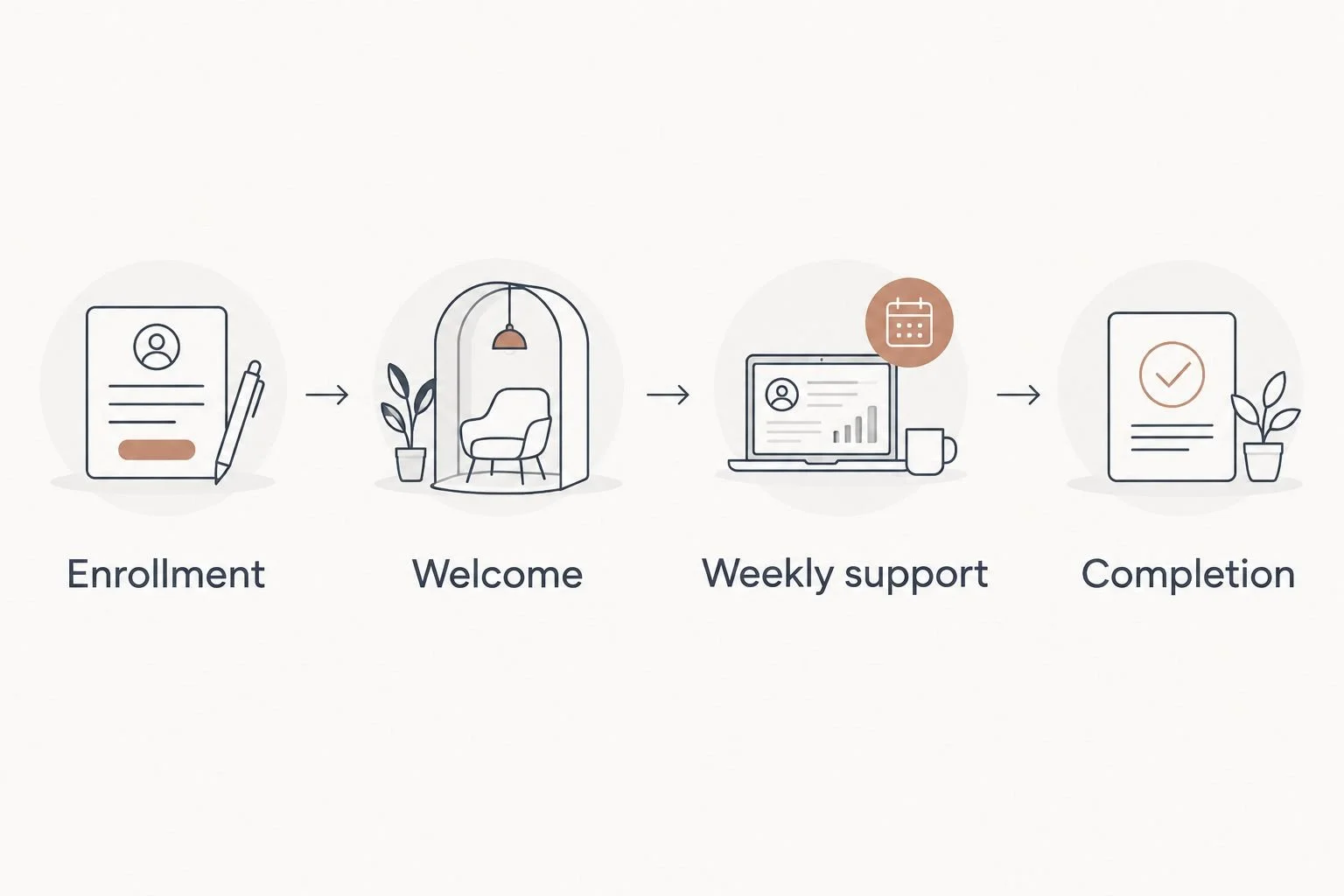
Use the same participant record throughout the program instead of rebuilding separate lists.
A central record is useful only when people maintain it. Assign responsibility for updates so the coach and support person do not each assume the other has checked a participant's status.
Choose one location for enrollment status.
Use the same status labels for every participant.
Separate administrative details from private coaching notes.
Name the person responsible for updates.
Record unresolved access or enrollment issues.
Standardize enrollment and welcome messages
Before automating anything, draft the messages and checklist yourself. Your welcome process should answer the questions participants need resolved before they can take part: where to go, what to prepare, when sessions happen, and how to get help.
Distinguish enrollment confirmation from program readiness. A participant can be enrolled but still lack the calendar invitation or access instructions. Treat those as separate checks so a completed purchase does not hide an incomplete welcome process.
Once the manual process is clear, done-for-you support offers a path for getting it built in your existing tools. Tended Sprout Co. is best for established coaches who want business systems support implemented for them, rather than ongoing business management.
Blooming Systems is Tended Sprout Co.'s one-day workflow transformation. Bring a defined enrollment or welcome problem to the discussion, and confirm the agreed scope. Do not assume every program process belongs in the same engagement.
Draft an enrollment confirmation message.
Create a welcome checklist with a named owner.
Put session details in one agreed location.
Explain how participants should request help.
Check access before marking the welcome stage complete.
Build a repeatable session routine
Start with a recurring checklist in a shared document. Separate preparation, live delivery, and follow-up so each part has an owner. Your coaching notes should not double as the team's task list.
For the illustrative 6-session program, reuse the same operating checklist each week and change the session-specific content. That keeps preparation consistent without making the coaching itself rigid. If you offer recordings or worksheets, include their preparation and sharing in the checklist. Leave them out if they are not part of the program.
A simple before-and-after example makes the distinction clear. Before: the coach remembers to email the session link, checks messages for questions, and sends follow-up when time allows. After: the checklist names who sends the reminder, where questions are collected, and who checks the follow-up.
This is an example of a workflow change, not a measured outcome. Its purpose is to make responsibility visible.
Keep the current session link in one agreed location.
Assign responsibility for session preparation.
Collect questions through a clearly stated channel.
Create a reusable follow-up message outline.
Record unresolved participant requests after each session.
Automate predictable handoffs
Run the checklist manually before connecting tools. You need to know what starts an action, what information it uses, and what should happen when something goes wrong. Automating an unclear process makes the confusion repeat.
Good candidates are routine administrative actions with clear conditions. Examples include sending a prepared welcome message after enrollment approval or creating a follow-up task after a session. These are proposed workflows, not claims about what a particular software plan supports.
Keep human review for exceptions. A failed payment, a sensitive message, or a request to leave the group needs a responsible person. Do not let an automated message stand in for a decision that affects someone's participation.
Tended Sprout Co.'s business systems support focuses on tools already integrated into your business. That approach fits a coach whose main problem is disconnected work rather than an absence of software. Check the required connections before agreeing to a build.
Choose one repeatable handoff to automate first.
Define the condition that starts the action.
Check that required information is present.
Test the normal path and an exception path.
Assign someone to review failed actions.
Review the process between cohorts
Start with a brief review of what actually happened. Use participant questions, incomplete tasks, and access issues to identify where the process needs attention. Do not judge the system only by whether every session took place.
For your next 2026 cohort, keep a short change list rather than redesigning everything. If several participants asked where to find materials, fix the location or instructions before adding another reminder. If tasks remained unfinished, check responsibility before assuming the team needs another tool.
Keep measurement tied to your own records. Track incomplete welcome steps, unresolved support requests, and session follow-up completion. Those counts show where to investigate; they do not prove the cause on their own.
A useful review ends with a decision. Keep what worked, change what caused confusion, and remove tasks that no longer serve the program. Make the revised checklist the version everyone uses.
Review participant questions for repeated confusion.
Check which tasks remained incomplete.
Record manual work that repeated unnecessarily.
Choose the next workflow to improve.
Update the shared checklist before reopening enrollment.
Compare support options for your group program
Choose support according to the work you need done, not the job title that sounds most complete. Building a welcome process and managing an active cohort are different assignments.
In 2026, the useful distinction is still straightforward: done-for-you systems support builds or improves how work happens; an Online Business Manager manages ongoing operations within an agreed scope. Responsibilities vary, so put the actual deliverables in writing.
Manual setup with existing tools
Best for: Coaches clarifying a straightforward program process
Main benefit: Keeps the process visible while you decide what belongs in it
Key limitation: You remain responsible for building, testing, and maintaining it
Tended Sprout Co. done-for-you systems support
Best for: Established coaches needing workflow implementation
Main benefit: Provides systems consulting and automation support using existing business tools
Key limitation: A systems build is not the same assignment as ongoing program management
Online Business Manager
Best for: Coaches needing ongoing coordination and operational oversight
Main benefit: Gives day-to-day operations a management owner within the agreed role
Key limitation: Hiring a manager does not automatically include rebuilding every workflow
Virtual assistant
Best for: Coaches delegating defined recurring tasks
Main benefit: Gives repeatable administrative work an execution owner
Key limitation: Tasks still need clear instructions and a route for exceptions
If you cannot explain how a participant moves from enrollment to readiness, clarify that process before delegating it. If the process is clear but nobody has time to run it, ongoing help addresses a different problem than a systems build.
Explore support for your workflows
Review done-for-you systems support for the tools and processes already in your business.
Common mistakes group coaches make
Treating enrollment as completed onboarding
Enrollment confirms participation, not readiness. Keep access instructions, calendar details, and preparation tasks visible until they are handled. Otherwise, the first session becomes the place where administrative gaps surface.
Mixing cohort information with private coaching notes
A shared participant list helps your team coordinate delivery. It is not the place for every personal disclosure. Separate routine administration from sensitive notes and decide who needs access to each.
Automating messages before checking their timing
A reminder is useful only when its content matches the participant's situation. Test whether someone who withdrew, joined late, or already completed a step receives the wrong message. Assign a person to handle exceptions.
Using the coach as the default support channel
When every question lands directly with you, administration interrupts coaching preparation. Give participants a clear support route and tell your team which requests need your judgment. Keep urgent or sensitive issues distinct from routine access questions.
Rebuilding the system for every cohort
Copying scattered documents without checking them carries outdated instructions into the next program. Maintain a reusable checklist and review the details that change, including dates, links, owners, and session materials.
FAQ
What are business systems for group coaching programs?
Business systems for group coaching programs are repeatable processes for enrollment, participant records, onboarding, session delivery, support, and completion. They define what happens next and who is responsible.
What's the best place to start with group coaching systems?
Start by mapping the participant journey from enrollment to completion. Build a manual checklist before choosing automation or replacing software.
Do I need new software to organize my group coaching program?
New software is not the first requirement. Start with your existing tools and check whether the problem is unclear responsibility, scattered information, or a task the tools cannot support.
Is done-for-you systems support better than hiring an Online Business Manager?
Done-for-you systems support fits workflow building and improvement; an Online Business Manager fits ongoing operational management. Choose according to the assignment and confirm the responsibilities before hiring.
What should I automate in a group coaching program?
Automate predictable administrative handoffs after the manual process works. Keep human review for sensitive requests, participation decisions, and exceptions.
How do I stop participants from getting lost during onboarding?
Keep a participant record that separates enrollment from readiness. Check welcome instructions, session information, and access before marking onboarding complete.
Can Blooming Systems help with a group coaching workflow?
Blooming Systems is Tended Sprout Co.'s one-day workflow transformation. Discuss your group coaching workflow and confirm the agreed scope before treating it as a fit for the entire program.
One last thing
Before opening your next 2026 cohort, run 1 complete test enrollment through the process. Use a test record, read the messages as a participant, and follow the access instructions without relying on your memory.
The most useful question is not whether a message was sent. It is whether the participant knows what to do next. Fix that uncertainty before adding more reminders.